
Admin
Edit proposals, upload the global logo, and preview markdown rendering.
Product Design & Onboarding Pilot
Prepared for: Julien Berthomier
Prepared by: SAYU.STUDIO
Date: 18 August 2026
Status: Draft for discussion
Your product is being shaped as a proactive B2B company brain: a system that can understand company metadata and workflows, support AI agents, and verify information across communication platforms.
For the pilot, the most important design challenge is not the full platform at once. It is helping a new customer understand the product, connect the right information, and reach a useful first outcome with confidence.
SAYU.STUDIO proposes a focused initial phase around that onboarding experience, followed by an optional extended phase for the wider product interface.
- Make the product's value clear in the first session.
- Reduce friction between account creation, setup, and the first useful result.
- Design for small-to-medium businesses with approximately 20–50 employees.
- Support a high-touch pilot model in which manual onboarding helps early customers succeed.
- Establish interface patterns that can grow with the product and its AI-assisted workflows.
1. Product and workflow review
We will review the current trial product, the priority onboarding scenario, known friction points, and the information a customer must provide before the system becomes useful.
2. Onboarding journey
We will define the end-to-end first-use journey in Figma, including account setup, company context, connections or data inputs, progress states, AI verification states, and the first successful outcome.
3. Interface direction
We will establish the core visual language and design the priority onboarding screens, responsive behavior, interaction states, errors, guidance, and confidence-building moments.
4. Prototype, testing, and refinement
We will create a reviewable Figma prototype, test the flow during the one-month pilot, and refine the experience from observed friction and consolidated team feedback.
Phase 1 deliverables
- Current-flow review and prioritized friction points
- Onboarding journey and screen architecture
- High-fidelity onboarding UI in Figma
- Key responsive, loading, verification, success, empty, and error states
- Clickable Figma prototype for review and testing
- Final organized Figma handoff and prioritized recommendations
One-month schedule
- Week 1: Product review, onboarding audit, and journey definition
- Week 2: Screen architecture, wireframes, and direction alignment
- Week 3: High-fidelity Figma prototype and testing
- Week 4: Refinement, final states, and design handoff
Phase 1 covers product and interface design in Figma only. Development is not included and will be quoted separately if requested.
Phase 2 may extend the validated onboarding direction across the wider product experience. Its priorities, deliverables, schedule, and fee will be defined only after Phase 1, using pilot feedback and the product's confirmed needs.
Selected private product UI work relevant to onboarding, workflow clarity, and operational tools. Shared for proposal review only.
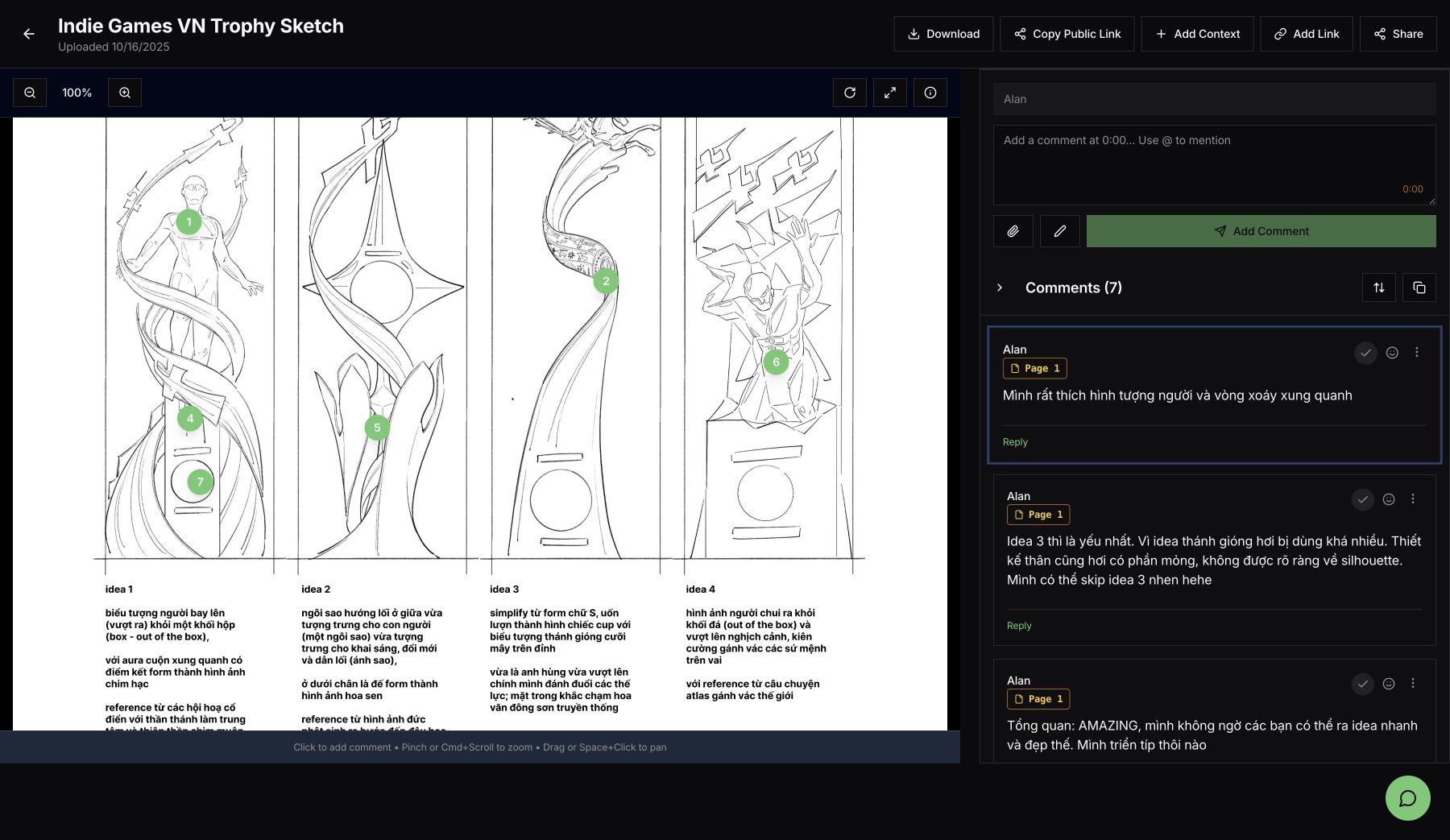
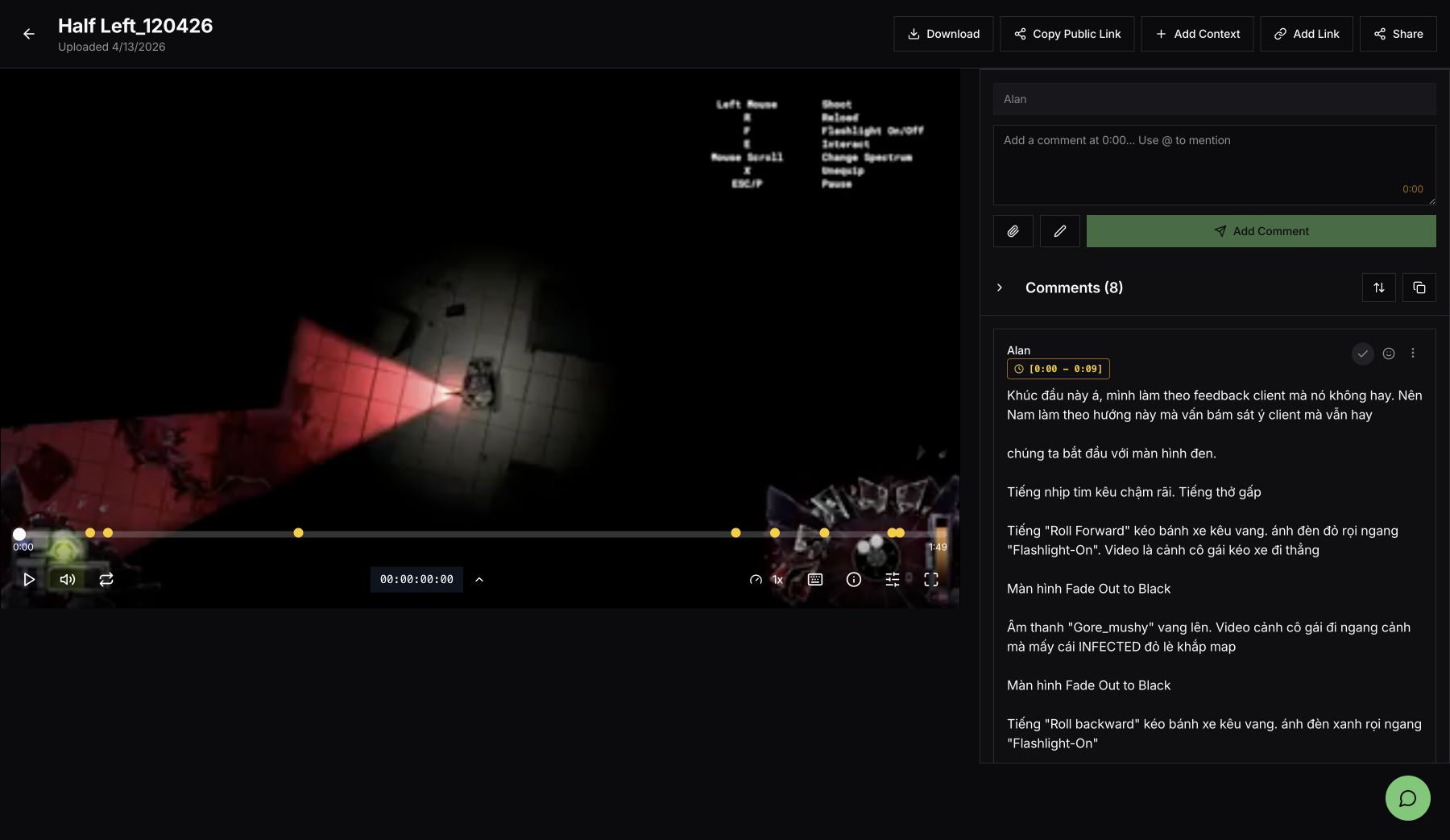
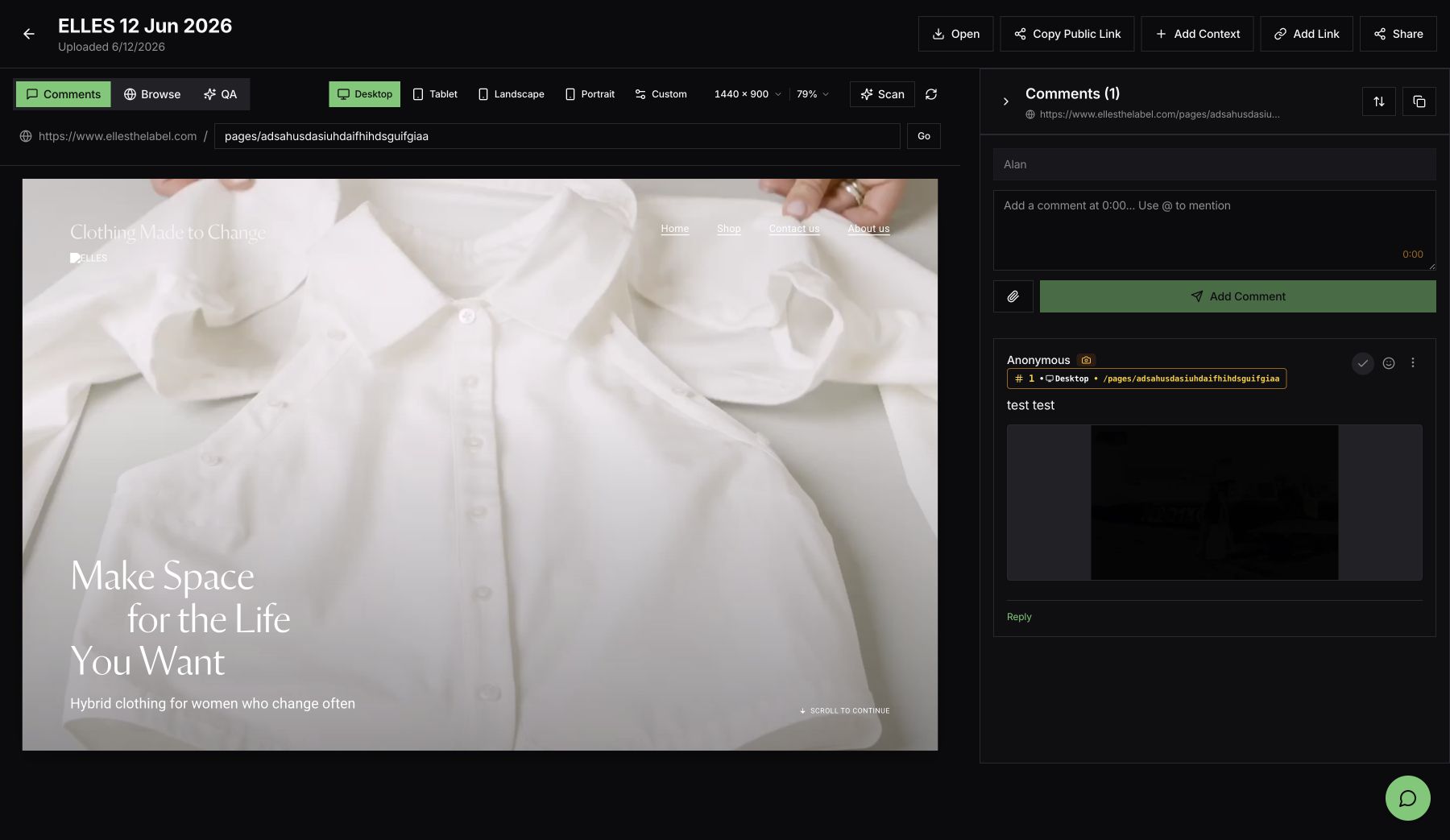
Feedbacker - Multi-format review workspace
A focused review product for collecting, organizing, and resolving visual feedback across images, video, and responsive websites.
Image review - pins and threaded comments
Video review - timeline markers and time-based feedback
Website review - responsive breakpoints, browsing, comments, and QA
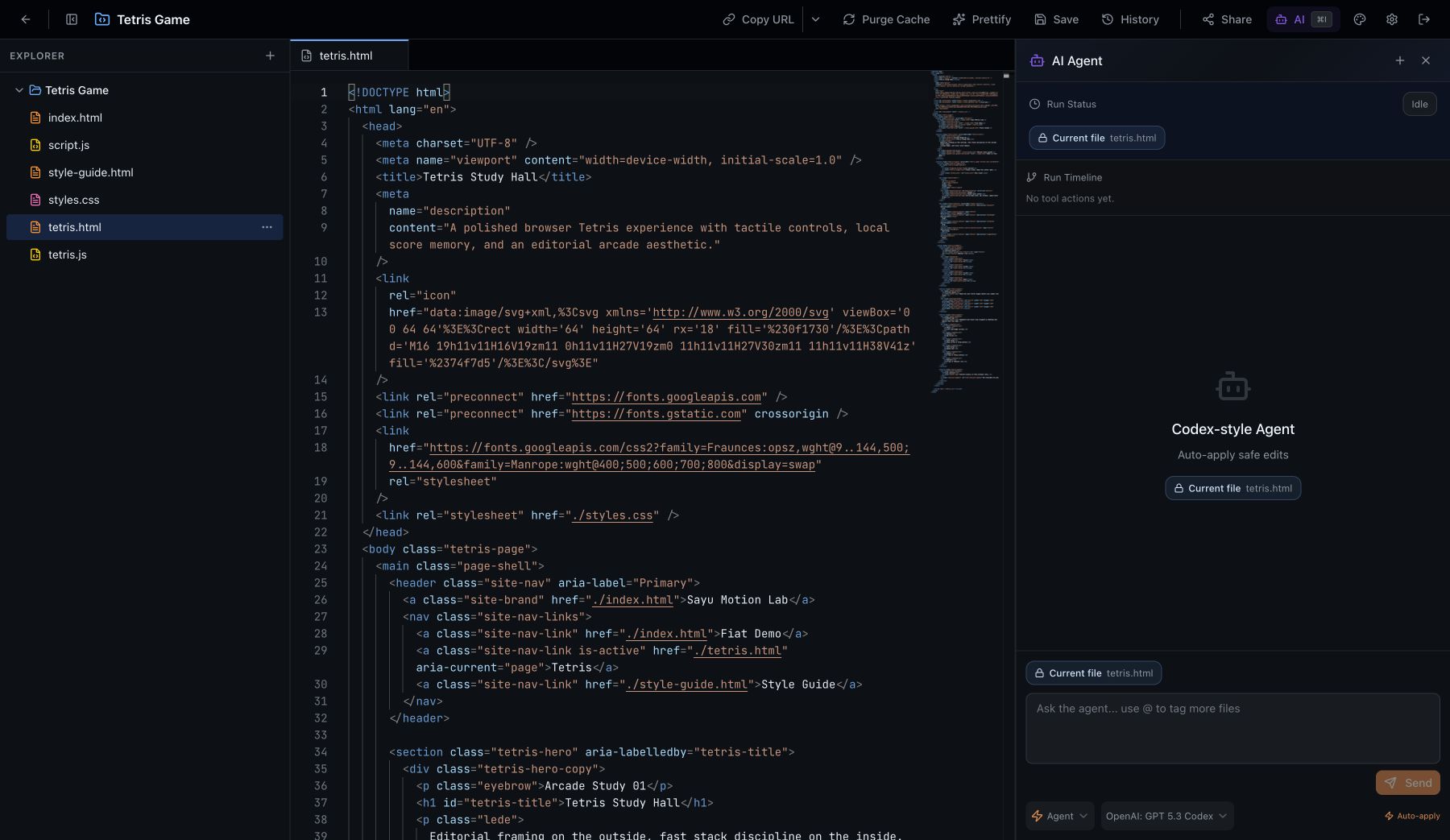
Public Code - Hosted code workspace
A browser-based workspace combining project navigation, code editing, publishing controls, history, sharing, and an AI-assisted workflow.
GamePressKit - Press-kit publishing system
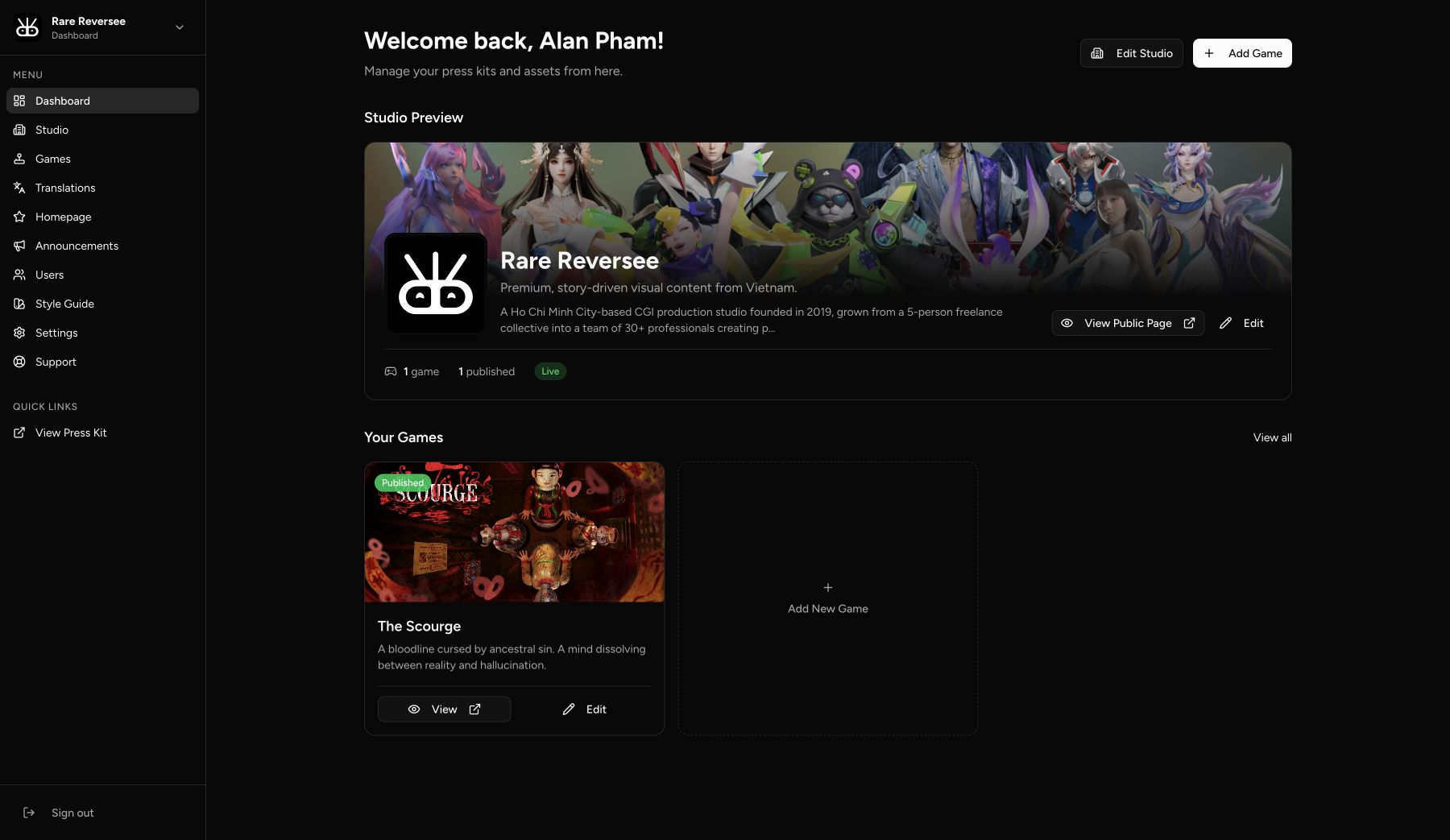
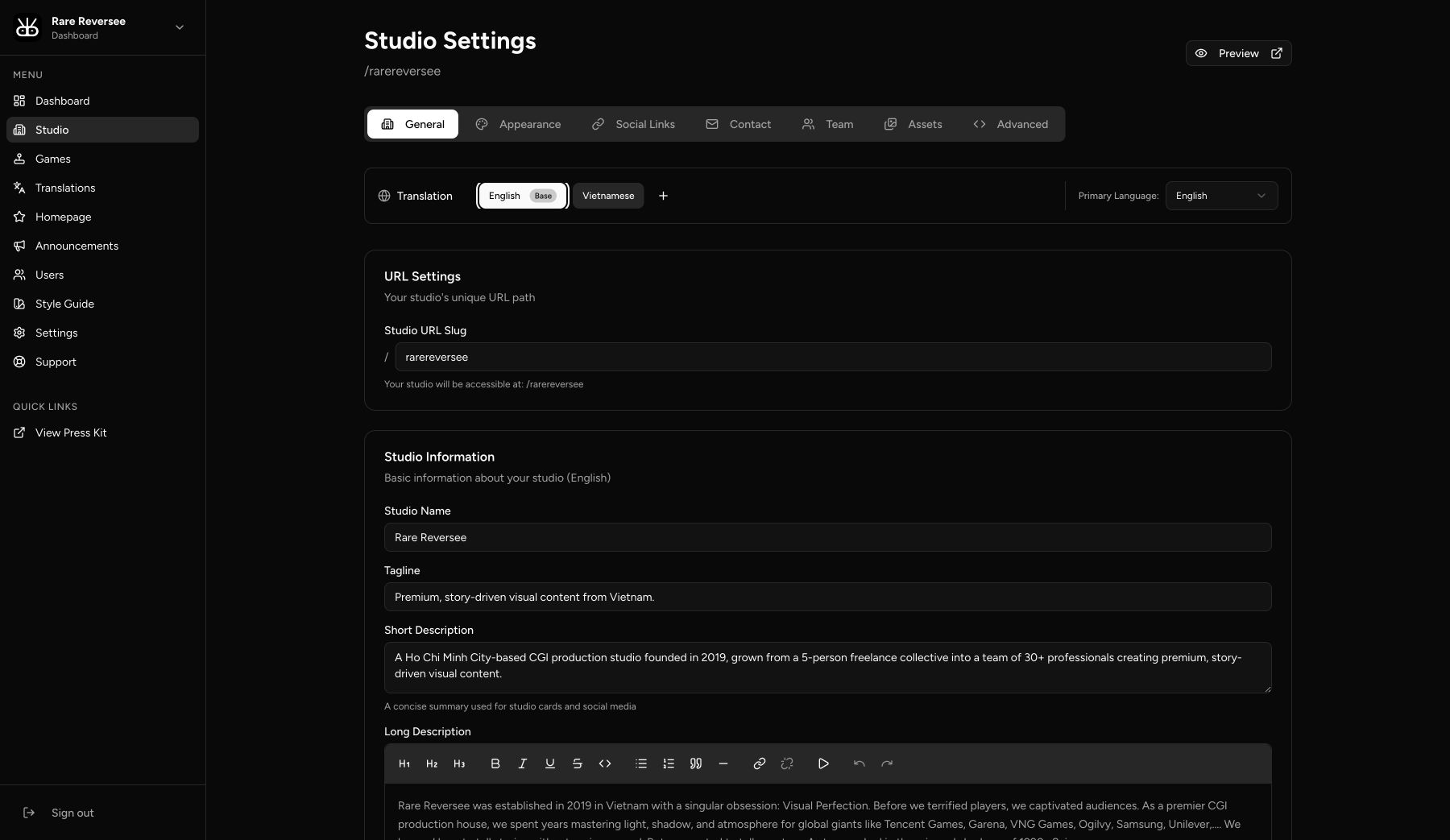
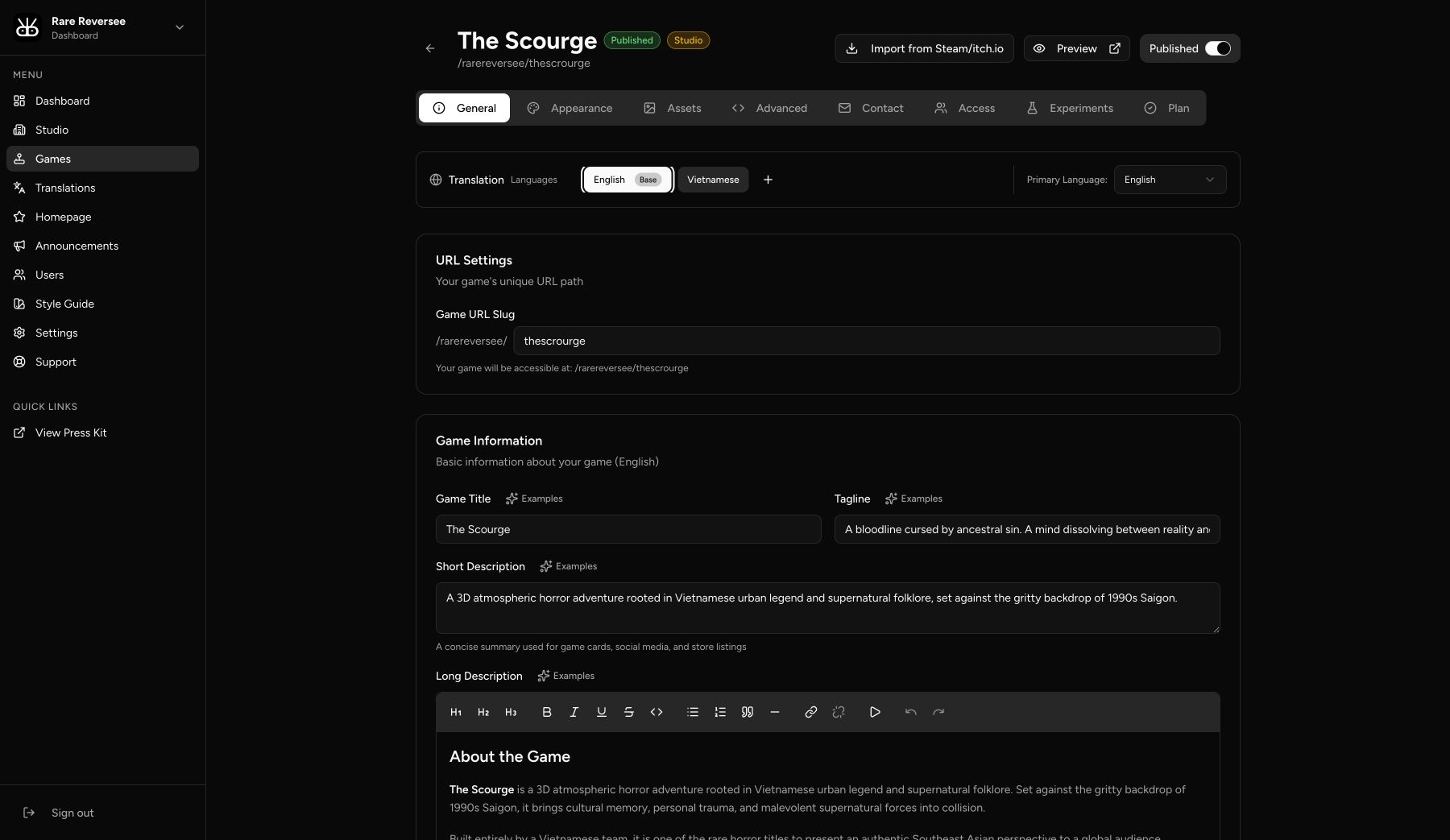
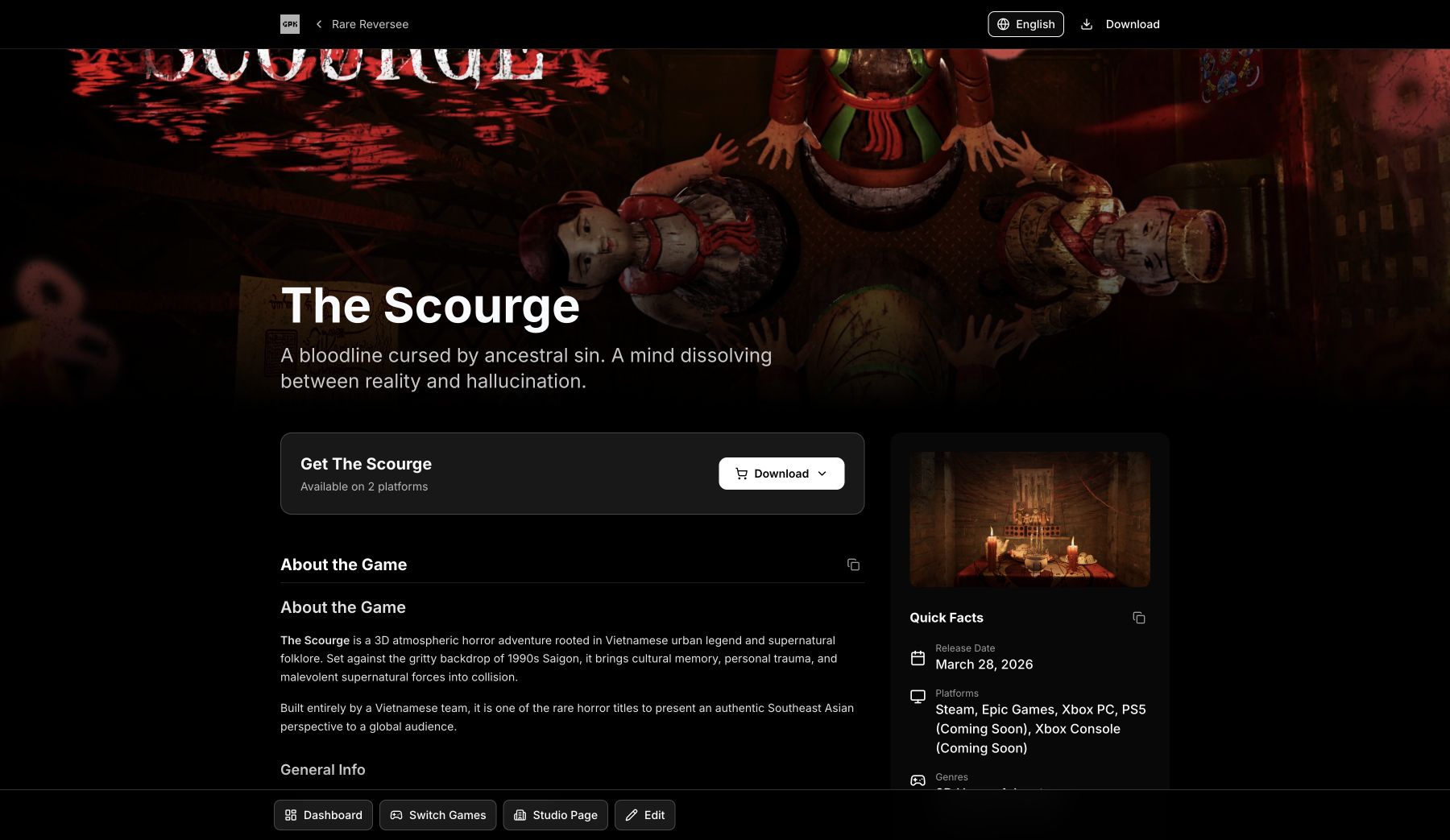
A studio operations product spanning dashboard management, structured content editing, localization, and polished public press-kit delivery.
Studio dashboard - games, publishing status, and studio preview
Studio editor - settings, translations, assets, and appearance
Game editor - structured press-kit content and publishing controls
Published press kit - public-facing game presentation
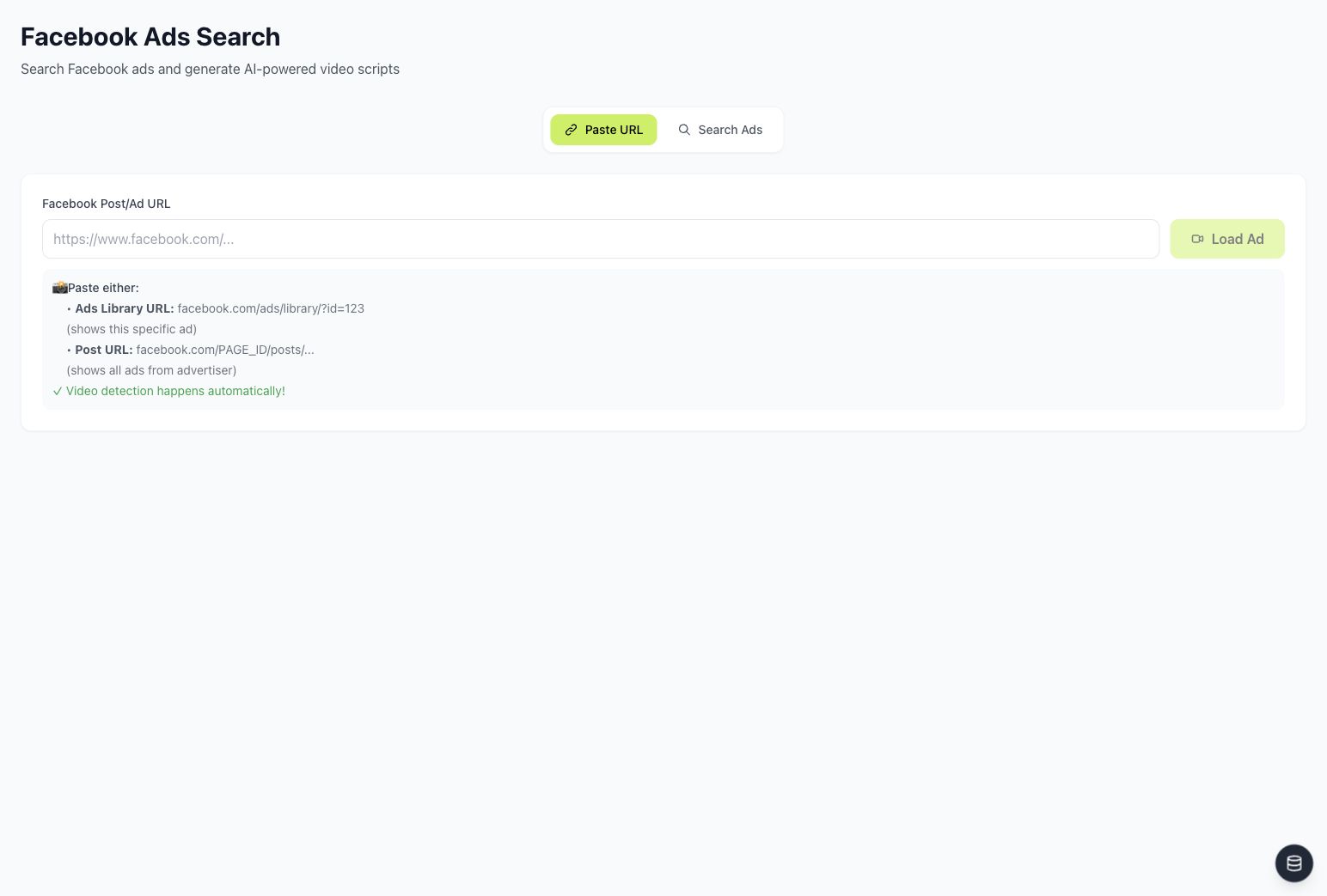
Growth Levers App - AI marketing operations workspace
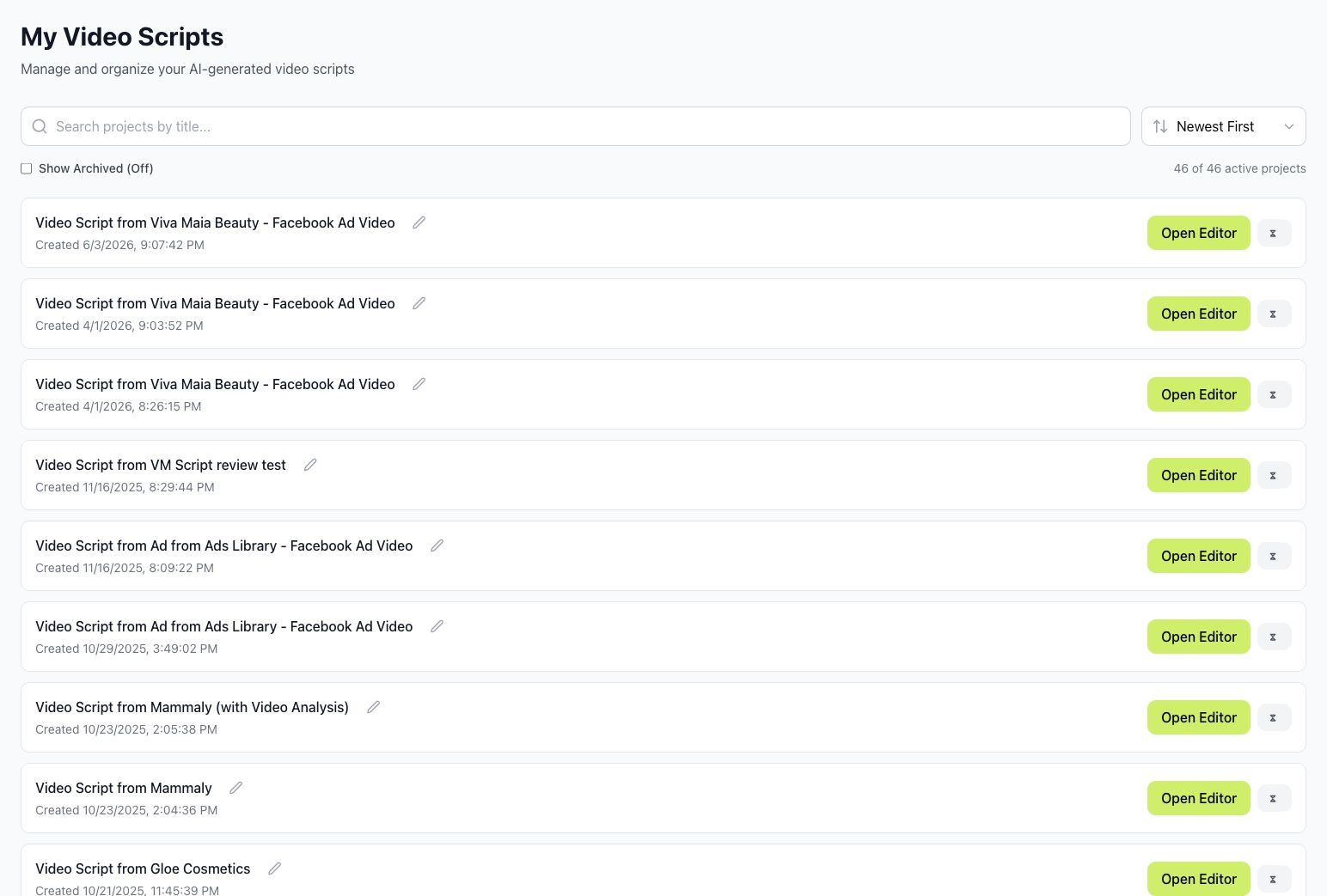
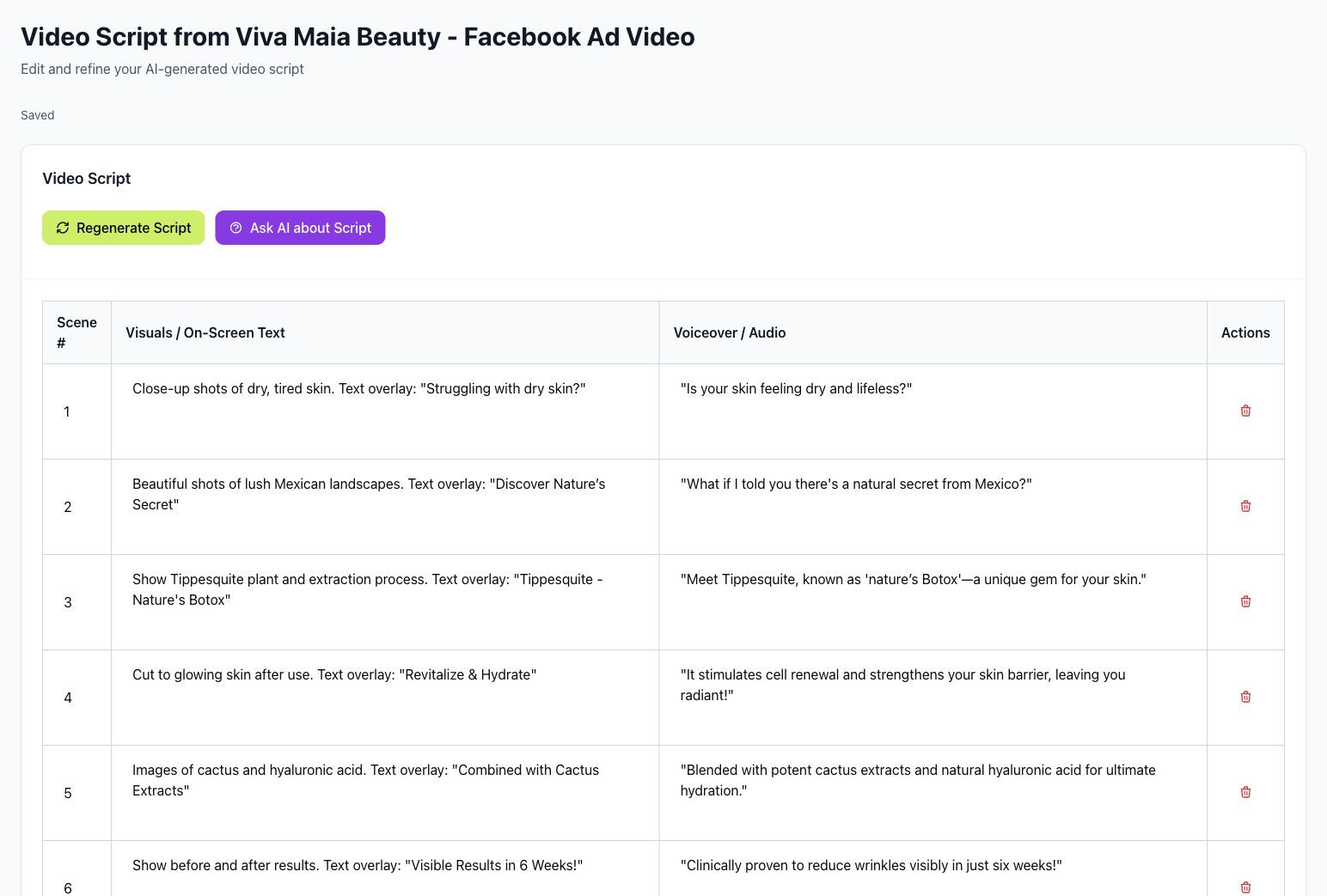
An advertising research and production workflow designed around ad discovery, reusable brand context, and AI-assisted video script generation.
Ad search - URL-based discovery and automatic video detection
Script library - searchable AI project management
Script editor - scene structure, visuals, voiceover, and AI refinement
- One primary decision-maker from each team
- WhatsApp for day-to-day coordination
- Weekly review and prioritization session
- Consolidated feedback at agreed checkpoints
- Trial-account and relevant product access provided before discovery begins
- Trial login and access to the current product
- One priority customer profile and onboarding scenario
- Current technical stack and implementation constraints
- Existing product materials, workflows, and known friction points
- A named product owner for decisions and consolidated feedback
Phase 1 fixed fee
USD $4,000
- 50% upfront - USD $2,000 to schedule and begin the one-month pilot
- 50% on Phase 1 completion - USD $2,000 at final Figma handoff
The fee covers the one-month Figma UX/UI onboarding pilot, including design, prototyping, testing, refinement, and handoff described above.
Development is excluded and will be scoped and quoted separately if requested. Phase 2 will be defined and priced only after Phase 1.
Phase 1 is a Figma-only product design engagement. It does not include frontend or backend development, AI-infrastructure implementation, third-party subscription fees, data migration, production hosting, security or compliance certification, or workflows outside the prioritized onboarding pilot.
Any development support will be proposed as a separate scope and fee.
- Share trial-product access and create the WhatsApp group.
- Confirm the Phase 1 Figma-only scope, one-month schedule, and USD $4,000 fee.
- Pay the 50% kickoff installment of USD $2,000.
- Schedule the kickoff and begin Week 1 product review.